opengeos--geolibre
 wehub-resource-sync
7df9ebf22c
wehub-resource-sync
7df9ebf22c
Sync labels / sync (push) Failing after 1m9s
Publish Container Image / Build and publish container image (push) Has been cancelled
Deploy Website / Deploy to GitHub Pages (push) Has been cancelled
Deploy Website / Build website and demo (push) Has been cancelled
Deploy viewer / Deploy viewer proxy to Cloudflare Workers (push) Has been cancelled
Deploy tiles / Deploy planetary tile proxy to Cloudflare Workers (push) Has been cancelled
Deploy collab / Deploy collaboration relay to Cloudflare Workers (push) Has been cancelled
CI / Dependency audit (push) Has been cancelled
CI / E2E smoke (Playwright) (push) Has been cancelled
CI / Validate CITATION.cff (push) Has been cancelled
CI / Build and test (push) Has been cancelled
63 行
3.2 KiB
Markdown
63 行
3.2 KiB
Markdown
# Embedding & Sharing
|
|
|
|
GeoLibre's browser build can be embedded in any web page and configured through URL query parameters. This is how you turn a shared project into a live, focused map for a website, a report, or a dashboard.
|
|
|
|
## The live viewer
|
|
|
|
The browser build is hosted at `https://web.geolibre.app/`. It is a static site deployed on GitHub Pages that runs entirely in your browser: it has no analytics and no server account, and the data you load is processed client-side. Data leaves your browser only when you add a remote URL or explicitly share a project.
|
|
|
|
Open a public project by passing its `.geolibre.json` URL with the `url` parameter:
|
|
|
|
```text
|
|
https://web.geolibre.app/?url=https://share.geolibre.app/giswqs/3d-tiles.geolibre.json
|
|
```
|
|
|
|
A project URL like this comes from **Project → Share**. See [Projects](projects.md#share).
|
|
|
|
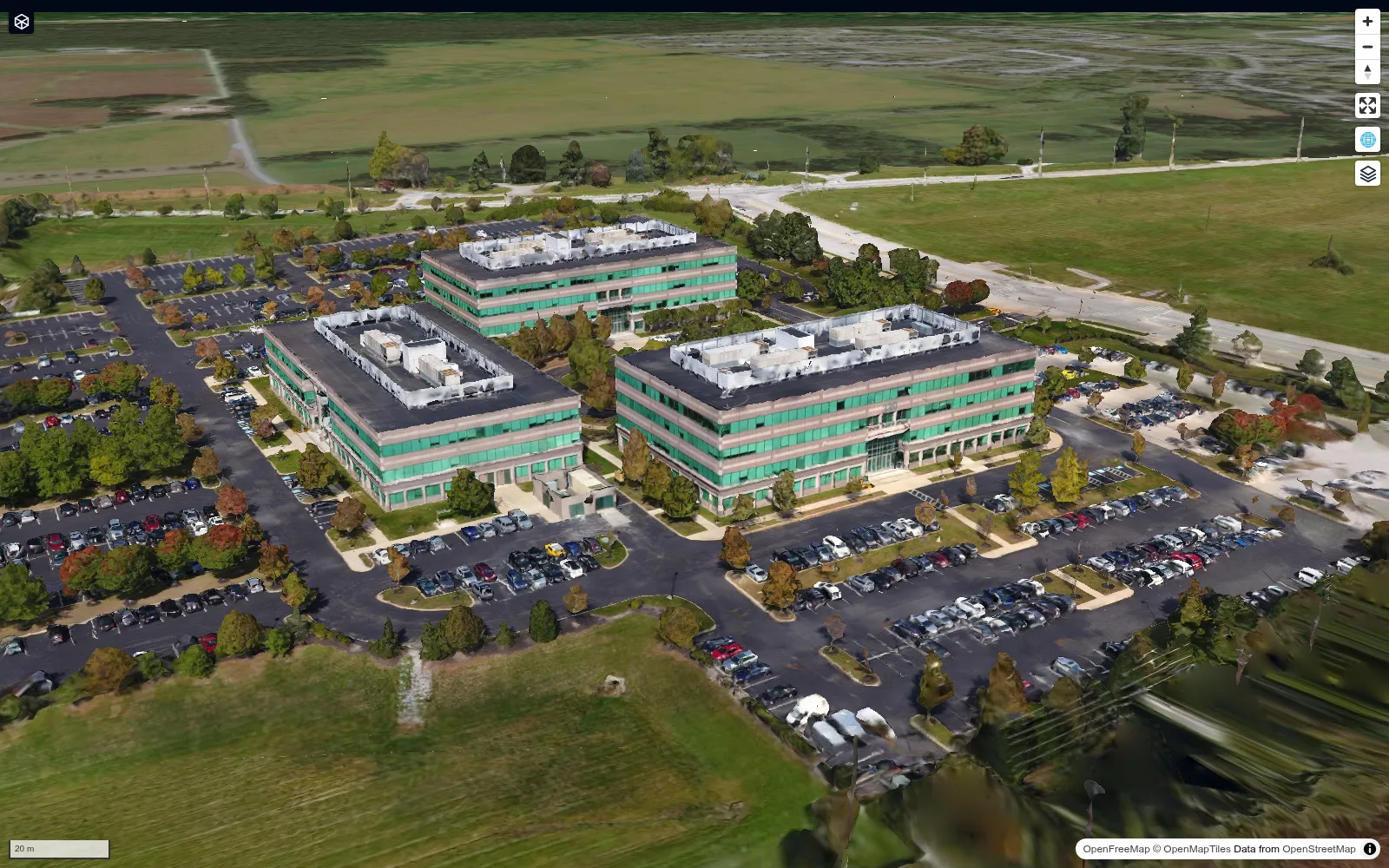
A chrome-free `maponly` embed shows only the map, as in this shared 3D Tiles project:
|
|
|
|
|
|
|
|
## URL parameters
|
|
|
|
| Parameter | Example | Description |
|
|
| --- | --- | --- |
|
|
| `url` | `url=https://share.geolibre.app/you/project.geolibre.json` | Loads a `.geolibre.json` project from a public URL. |
|
|
| `layout` | `layout=compact` | Compact embed layout: icon-only toolbar buttons and hidden project metadata. `embed` and `iframe` are aliases. |
|
|
| `toolbar` | `toolbar=icons` | Icon-only toolbar buttons without the full compact layout. `icon` and `icon-only` are aliases. |
|
|
| `panels` | `panels=none` | Hides the Layers, Style, and Attribute table panels. `hidden`, `hide`, and `off` are aliases. |
|
|
| `hidePanels` | `hidePanels=true` | Alternative way to hide those panels. |
|
|
| `maponly` | `maponly` | Hides all chrome (toolbar, panels, and status bar), leaving only the map. The bare flag or `true`, `1`, `yes`, `on` enable it. |
|
|
| `welcome` | `welcome=0` | Hides the first-launch welcome wizard. Accepts `0`, `false`, `off`, or `no`. A `url=` deep link already suppresses it automatically. |
|
|
| `theme` | `theme=dark` | Sets the initial color theme, overriding the OS preference. Accepts `dark` or `light`; the in-app toggle still works afterward. |
|
|
|
|
Parameters combine. For a narrow, chrome-free, dark embed of a shared project:
|
|
|
|
```text
|
|
https://web.geolibre.app/?url=https://share.geolibre.app/you/project.geolibre.json&maponly&theme=dark
|
|
```
|
|
|
|
## Embedding in a page
|
|
|
|
Drop the viewer into an `<iframe>`:
|
|
|
|
```html
|
|
<iframe
|
|
src="https://web.geolibre.app/?url=https://share.geolibre.app/you/project.geolibre.json&maponly"
|
|
title="GeoLibre map"
|
|
width="100%"
|
|
height="600"
|
|
style="border: 0;"
|
|
loading="lazy"
|
|
allow="fullscreen; geolocation"
|
|
></iframe>
|
|
```
|
|
|
|
Use `layout=compact` when you want a slim toolbar to remain (for example, so viewers can switch basemaps), or `maponly` for a pure map.
|
|
|
|
## What works in an embed
|
|
|
|
The browser build supports map navigation, browser-selected and URL-based data, styling, the SQL Workspace, and most plugins. Desktop-only features (local file dialogs, local MBTiles and raster reads, project save/open, and the Python sidecar tools) are not available in an embed. See [Getting Started](../getting-started.md).
|
|
|
|
See the [Sharing & Embedding tutorial](../tutorials/sharing-embedding.md) for a full walkthrough.
|