mediago-dev--mediago
 caorushizi
19e49e89b9
caorushizi
19e49e89b9
The CI workflow mirrors every built image to Docker Hub
(`caorushizi/mediago`), but the install lists in README (zh/en/jp)
and docs (guides / changelog for all three languages) only mentioned
GHCR. Most users default to Docker Hub, so they would miss the
simpler pull path.

Switch every Docker row into a two-line form showing both registries
explicitly:

    - [**Docker Hub**](https://hub.docker.com/r/caorushizi/mediago): docker run ... caorushizi/mediago:3.5.0
    - **GHCR**: docker run ... ghcr.io/caorushizi/mediago:3.5.0

Docker Hub appears first (shorter image name, more familiar to most
users) and its label is a link to the Hub page. GHCR is kept as a
second bullet for users who prefer it or are already authenticated.

The README feature-section (`🐳 Docker deployment`) code block was
also switched to the unqualified `caorushizi/mediago:3.5.0` form so
the showcase command defaults to Docker Hub, with a prose note that
the same image lives on GHCR too.

Co-Authored-By: Claude Opus 4.7 (1M context) <noreply@anthropic.com>
3.2 KiB
3.2 KiB
layout, outline
| layout | outline |
|---|---|
| doc | deep |
快速开始
这篇文章是软件的简单说明,可以快速上手使用本软件。支持 OpenClaw Skill,在 AI 编程助手中用自然语言下载视频。
::: tip 方便大家一起沟通交流, 可以加入反馈群:
MediaGo QQ反馈群: 574209001
v3.x.x 是最新版本,大家的意见可以尽量在 3.x.x 版本中提出,我们会尽快修复。
:::
::: tip MacOS 使用
- 【Intel 芯片】需要安装 release 中的 x64 版本。安装完成后需要在 Mac 的安全设置中打开来自身份不明开发者的 Mac App
- 【Apple 芯片】需要安装 release 中的 arm64 芯片。安装完成后需要在控制台执行
sudo xattr -dr com.apple.quarantine /Applications/mediago-community.app命令 :::
下载安装
v3.5.0(2026.4.22 发布)
::: tip 国内用户可以通过网盘下载
阿里网盘: https://www.alipan.com/s/SwCbQBN2nZQ
百度网盘: https://pan.baidu.com/s/1CLqPKZ4_lwewb2L4wre_eA?pwd=rmdn
:::
- 【mediago】 windows(安装版) v3.5.0
- 【mediago】 windows(便携版) v3.5.0
- 【mediago】 macos arm64(apple 芯片) v3.5.0
- 【mediago】 macos x64(intel 芯片) v3.5.0
- 【mediago】 linux v3.5.0
- Docker Hub:
docker run -d --name mediago -p 8899:8899 -v /path/to/mediago:/app/mediago caorushizi/mediago:3.5.0 - GHCR:
docker run -d --name mediago -p 8899:8899 -v /path/to/mediago:/app/mediago ghcr.io/caorushizi/mediago:3.5.0
历史版本请查看 GitHub Releases。
操作说明
视频自动嗅探
-
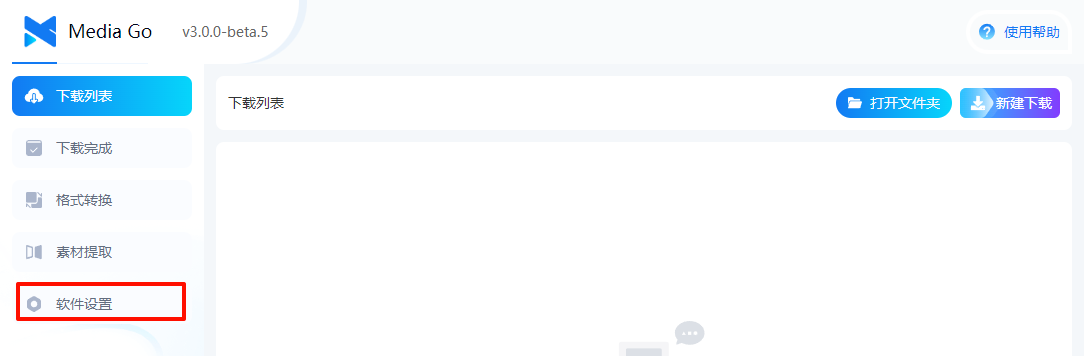
选择【资源提取】
-
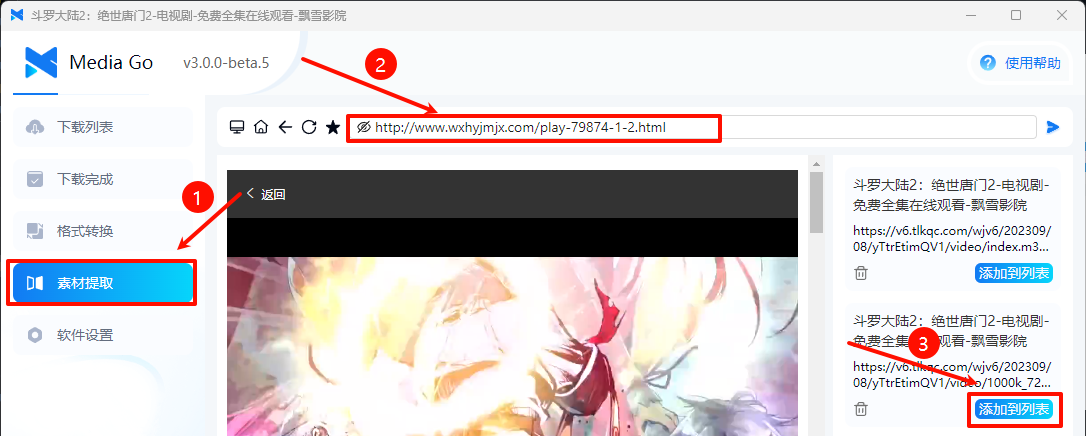
进入视频的网址
-
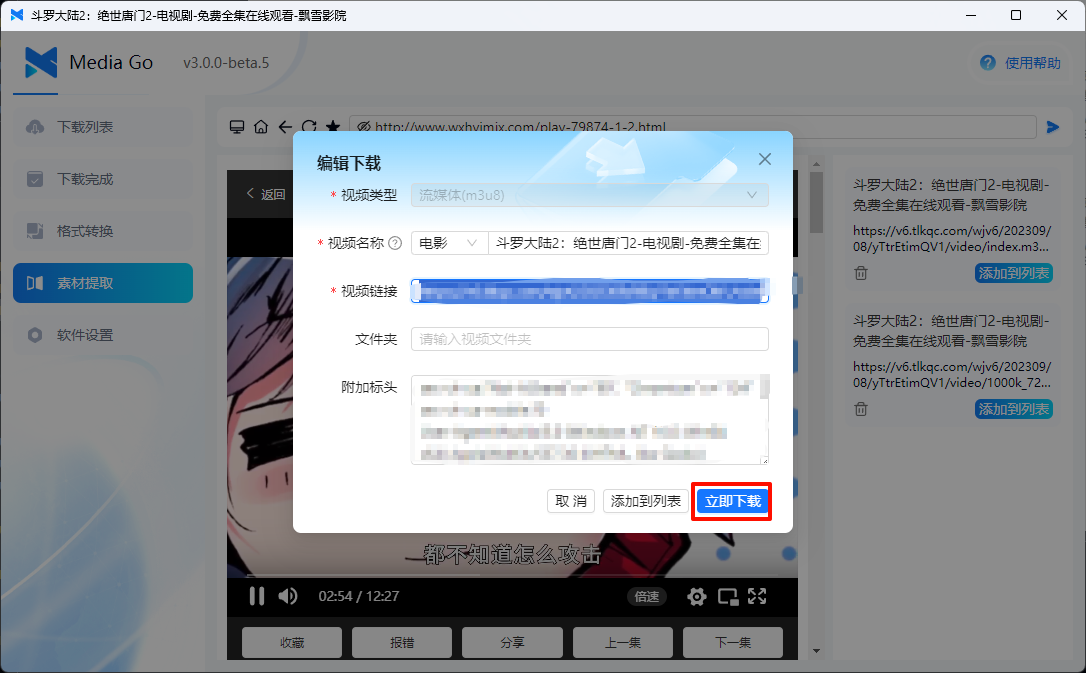
点击【立即下载】,即可下载视频


手动下载
-
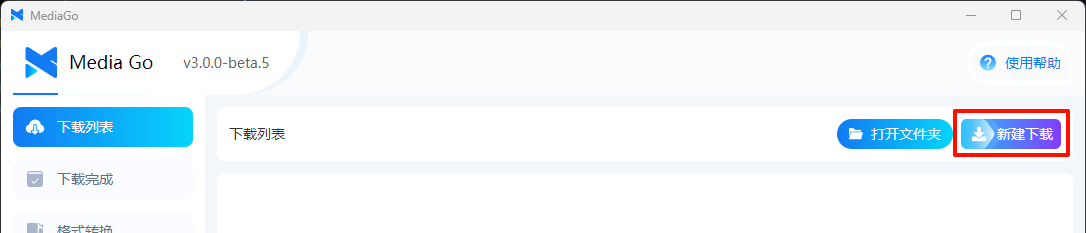
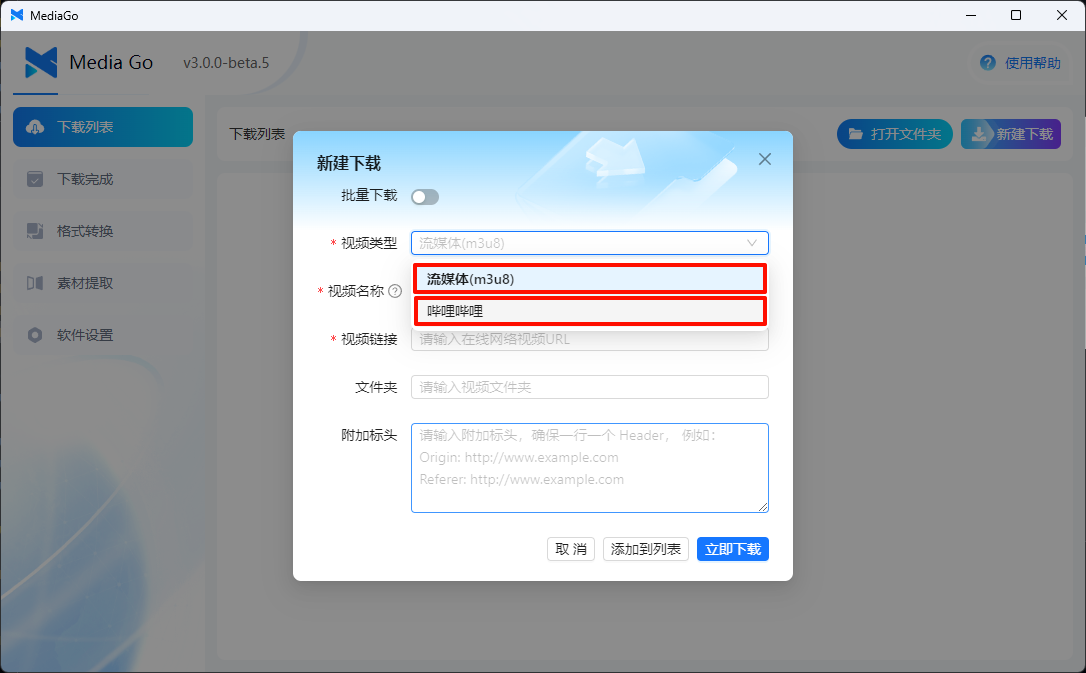
点击页面右上角的【新建下载】
-
在新建下载弹窗中填入【视频名称】和【流媒体(m3u8)】或者【哔哩哔哩】即可
-
在列表中点击下载,即可下载视频


批量下载

附加功能
-
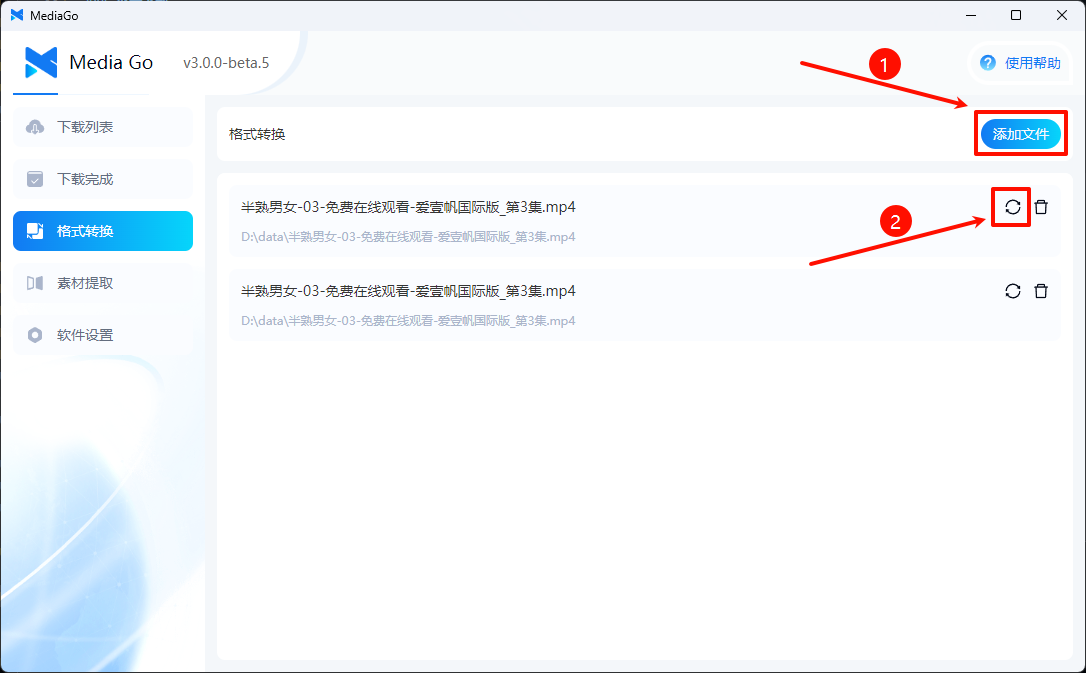
转换为音频
-
后续会增加更多功能,敬请期待~

播放视频
-
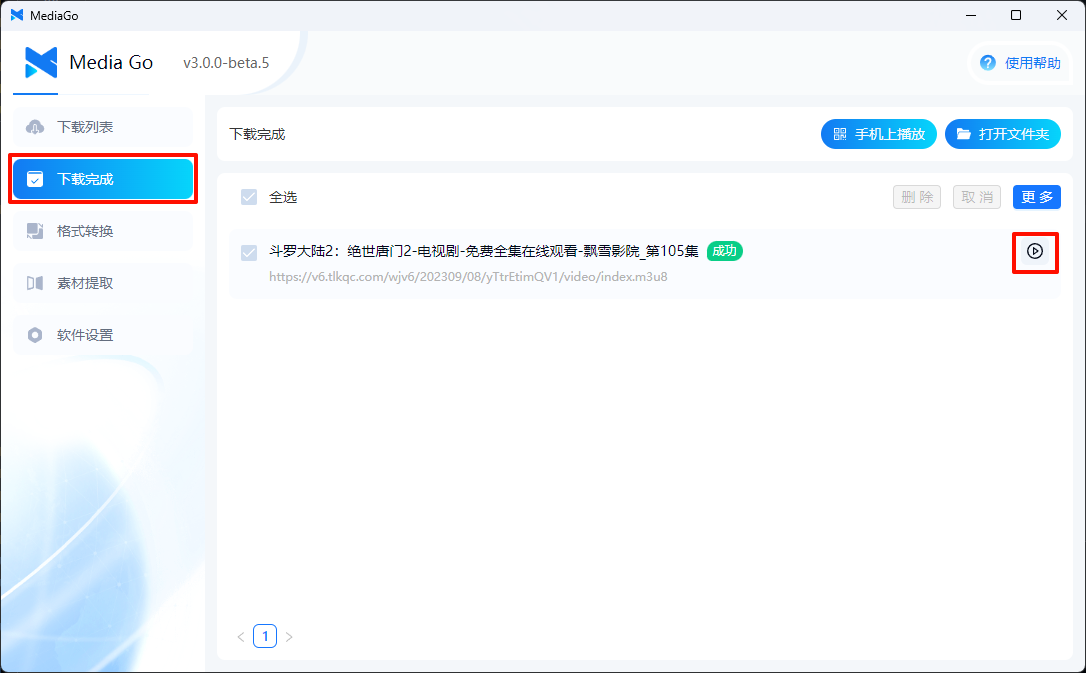
PC 播放
-
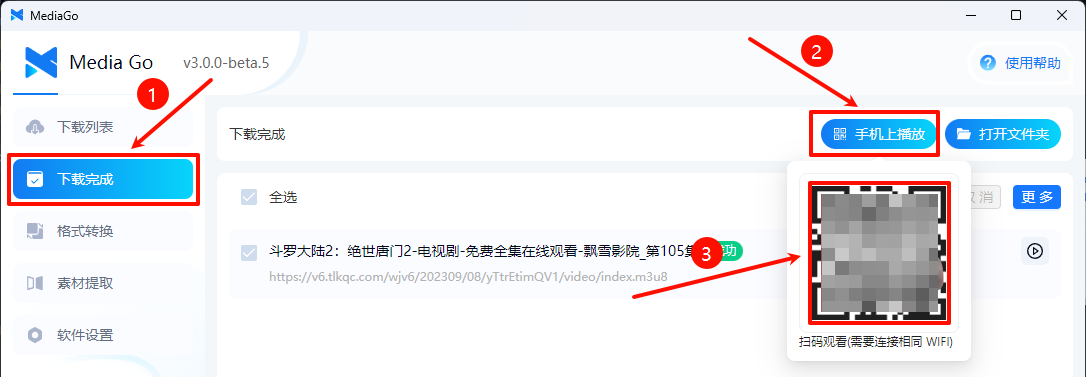
移动端播放


开始你的视频下载吧
是不是很简单,快去下载你的视频吧
::: warning 本软件仅可用于学习交流 :::