 caorushizi
99281d89f9
caorushizi
99281d89f9
A batch of VitePress site updates around the v3.5.0 release:

- Refresh the zh / en / jp homepages into a 3x3 feature grid aligned
  with README v3.5.0: keep the foundational "no packet capture /
  batch download / mobile playback" cards, add v3.5.0 pillars
  (browser extension / broad video source coverage / OpenClaw Skill /
  HTTP API / built-in format conversion / one-line Docker). Rewrite
  the hero with a tighter "cross-platform video downloader + built-in
  sniffing" tagline and point the English hero at the
  English-localized `home_en.png`.
- Fix en / jp hero action links that previously routed to the Chinese
  root pages (`/guides` → `/en/guides`, `/jp/guides` etc.).
- Add the macOS usage block to the en / jp quick-start guides
  (Intel vs Apple Silicon + `sudo xattr -dr com.apple.quarantine`
  unblock command), and drop the QQ feedback group tip from those
  locales — QQ is China-only, not useful for en / jp audiences.
- Add a new Download API reference page (`/api`) for all three locales,
  registered in the sidebar under "开始 / Quick start / 始める".
  Covers Base URL (desktop `39719`, Docker `9900`), auth (API key from
  Settings page), curl quick-start, download SSE events, and the full
  `/api/downloads/*` endpoint reference.

Co-Authored-By: Claude Opus 4.7 (1M context) <noreply@anthropic.com>
3.6 KiB
layout, outline
| layout | outline |
|---|---|
| doc | deep |
Quick Start
This article provides a simple guide to help you get started with using the software. Supports OpenClaw Skill for downloading videos via natural language in AI coding assistants.
::: info
v3.5 is the latest version. Please feel free to provide feedback in this release and we will address it as quickly as possible.
:::
::: tip macOS usage
- [Intel chip] Install the x64 build from the release page. After installation, allow apps from unidentified developers in Mac's Security settings.
- [Apple Silicon] Install the arm64 build from the release page. After installation, run
sudo xattr -dr com.apple.quarantine /Applications/mediago-community.appin Terminal.
:::
Download and Installation
v3.5.0 (Released on April 22, 2026)
Software Download
- 【mediago】 Windows (Installer) v3.5.0
- 【mediago】 Windows (Portable) v3.5.0
- 【mediago】 macOS arm64 (Apple Silicon) v3.5.0
- 【mediago】 macOS x64 (Intel) v3.5.0
- 【mediago】 Linux v3.5.0
- Docker Hub:
docker run -d --name mediago -p 8899:8899 -v /path/to/mediago:/app/mediago caorushizi/mediago:3.5.0 - GHCR:
docker run -d --name mediago -p 8899:8899 -v /path/to/mediago:/app/mediago ghcr.io/caorushizi/mediago:3.5.0
Older releases are on the GitHub Releases page.
What's New
- Browser extension (Chrome / Edge) — one-click video sniffing on any site.
- YouTube and 1000+ sites — powered by yt-dlp.
- OpenClaw Skill — download videos through AI coding assistants.
- Open HTTP API — integrate with scripts, automation and third-party tools.
- In-app format conversion — pick output format and quality after downloading.
- Simpler Docker deployment — multi-arch images on GHCR, mount a single folder.
- Faster startup — backend rewritten in Go, lower memory footprint, built-in player.
Operation Instructions
Automatic Video Sniffing
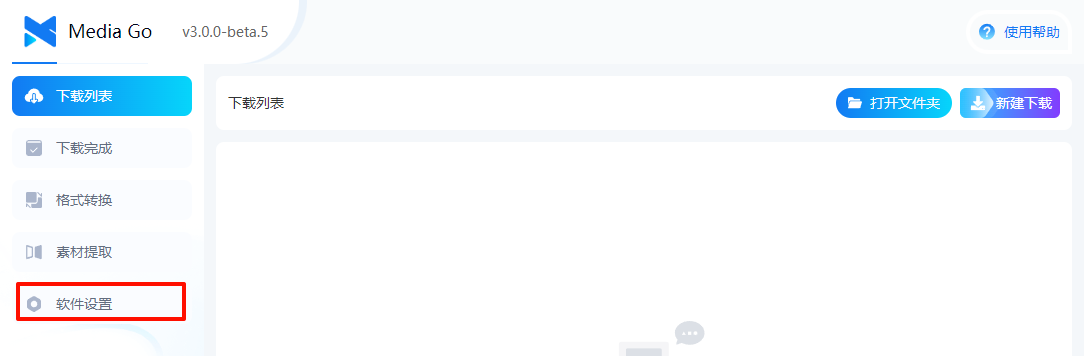
-
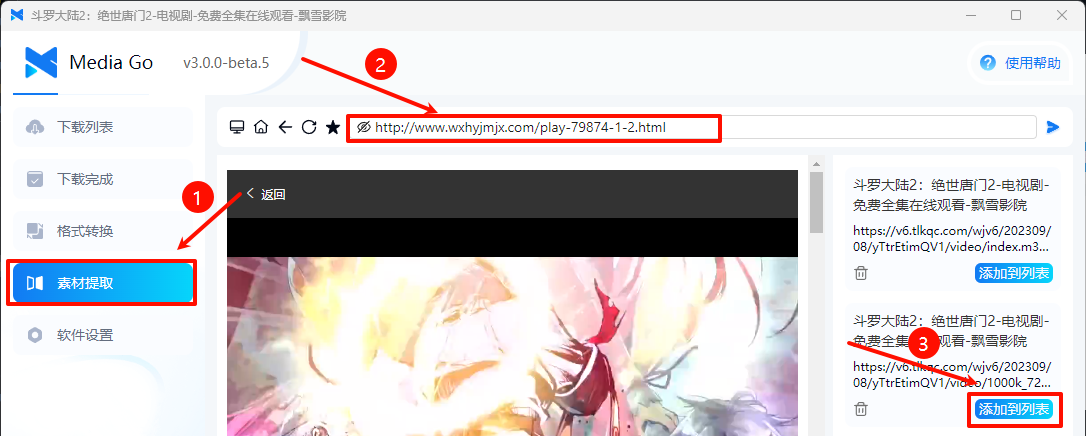
Select "Resource Extraction"
-
Enter the video URL
-
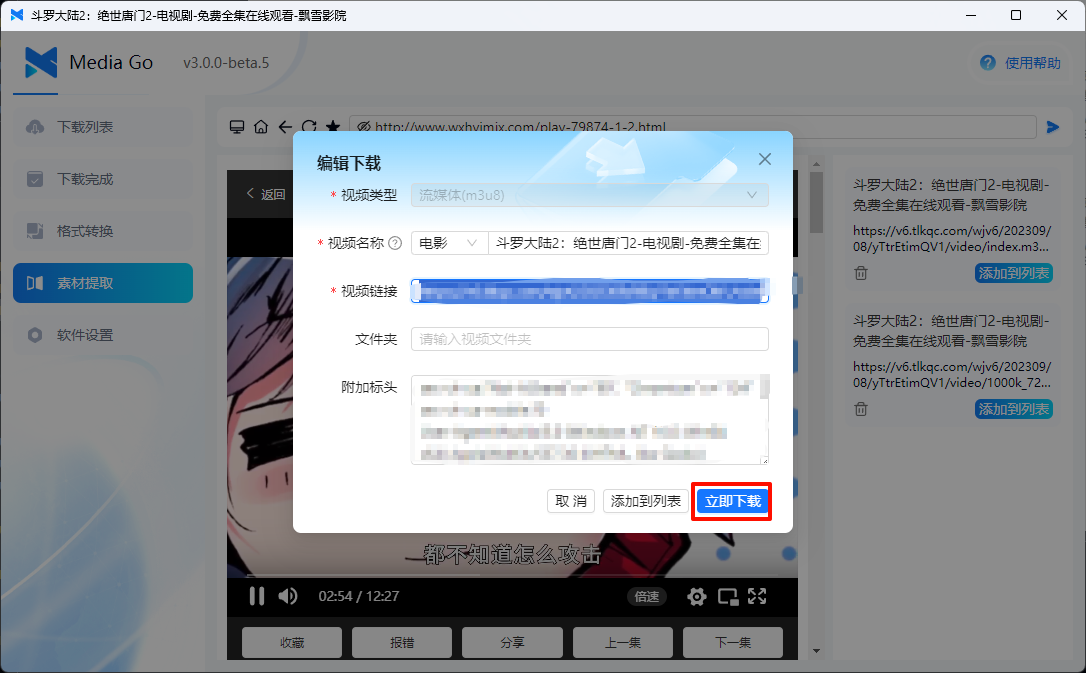
Click "Start Download" to begin downloading the video


Manual Download
-
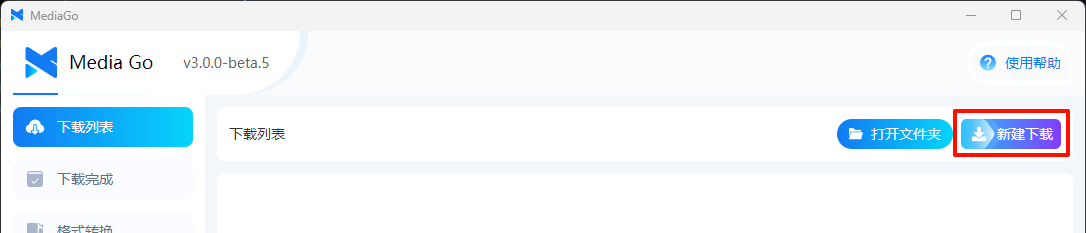
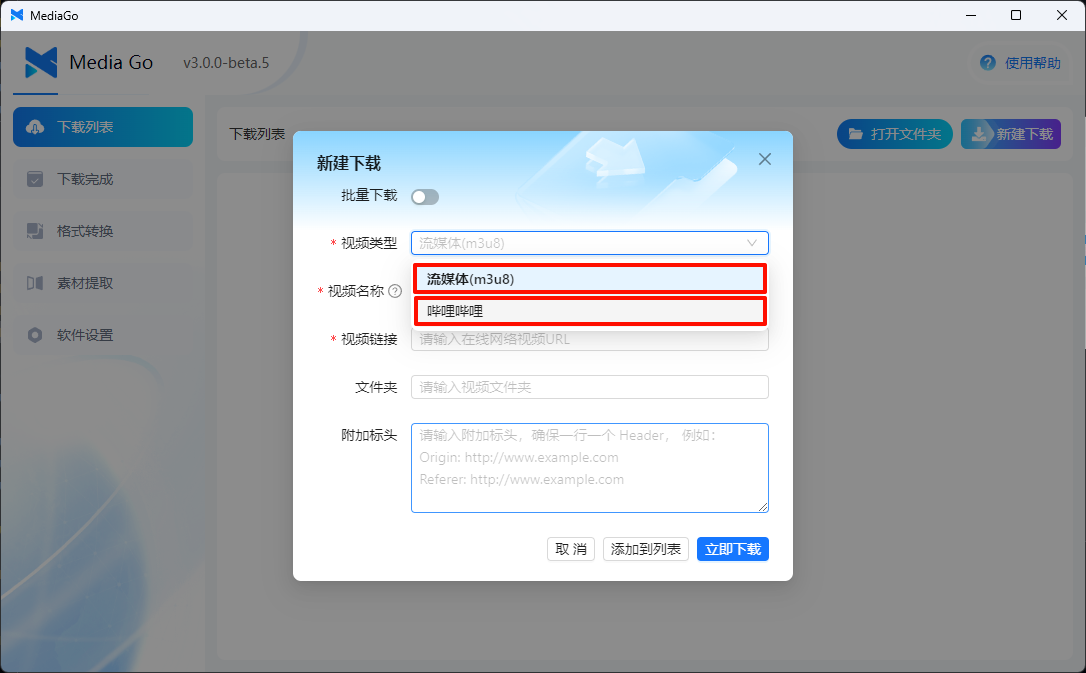
Click the "New Download" button at the top right of the page
-
In the new download window, enter the "Video Name" and the "Stream (m3u8)" or "Bilibili" link
-
Click to download the video from the list


Batch Download

Additional Features
-
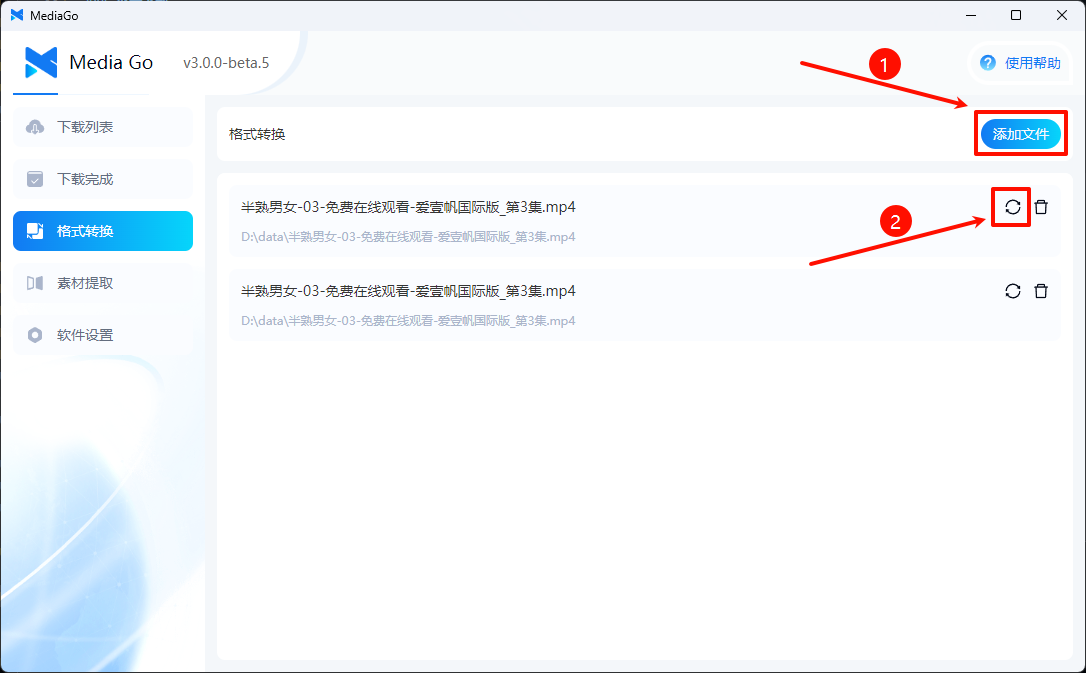
Convert to Audio
-
More features will be added in the future. Stay tuned!

Video Playback
-
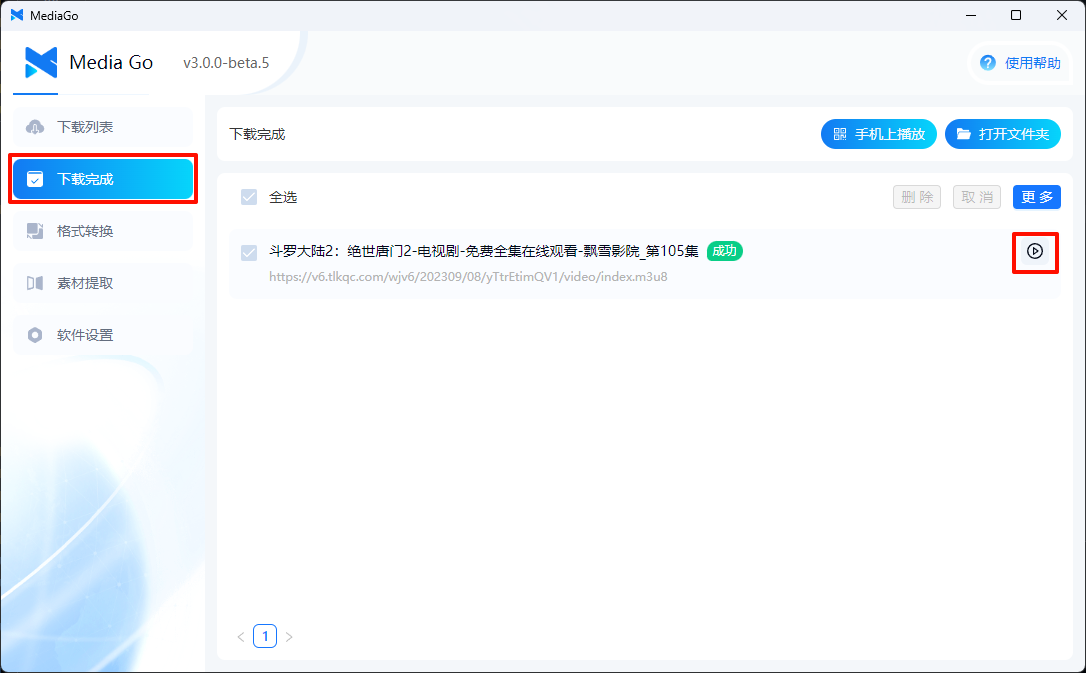
PC Playback
-
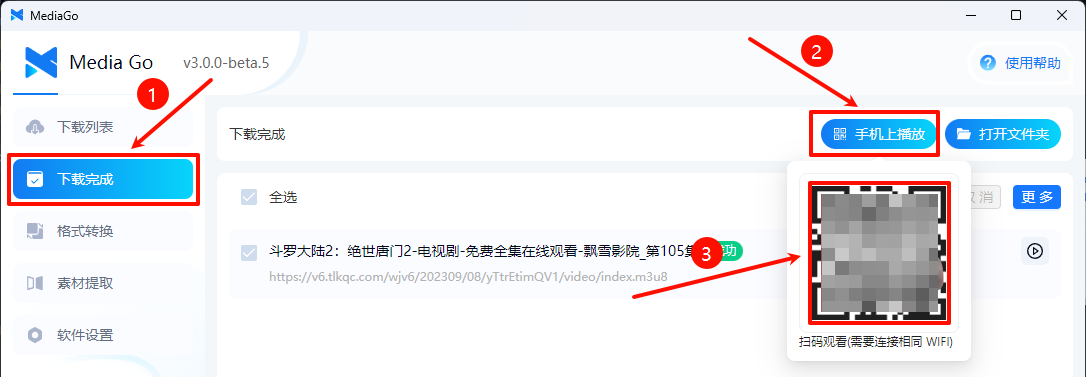
Mobile Playback


Start Downloading Your Videos
It's so simple! Go ahead and download your videos now.
::: warning This software is for learning and communication purposes only. :::