> [!NOTE]
> 本文档由 WeHub 基于上游 README 翻译整理,属于社区翻译,非官方中文文档。
> [English](./README.en.md) · [原始项目](https://github.com/haotian-liu/LLaVA) · [上游 README](https://github.com/haotian-liu/LLaVA/blob/HEAD/README.md)
> 原作者、版权与许可证归属以原始项目及本仓库 LICENSE 文件为准。
# 🌋 LLaVA:大型语言与视觉助手(Large Language and Vision Assistant)
*通过视觉指令微调(visual instruction tuning),迈向具备 GPT-4 级别能力的大型语言与视觉模型。*
[📢 [LLaVA-NeXT Blog](https://llava-vl.github.io/blog/2024-01-30-llava-next/)] [[Project Page](https://llava-vl.github.io/)] [[Demo](https://llava.hliu.cc/)] [[Data](https://github.com/haotian-liu/LLaVA/blob/main/docs/Data.md)] [[Model Zoo](https://github.com/haotian-liu/LLaVA/blob/main/docs/MODEL_ZOO.md)]
🤝社区贡献:[[llama.cpp](https://github.com/ggerganov/llama.cpp/pull/3436)] [[Colab](https://github.com/camenduru/LLaVA-colab)] [[🤗Space](https://huggingface.co/spaces/badayvedat/LLaVA)] [[Replicate](https://replicate.com/yorickvp/llava-13b)] [[AutoGen](https://github.com/microsoft/autogen/blob/main/notebook/agentchat_lmm_llava.ipynb)] [[BakLLaVA](https://github.com/SkunkworksAI/BakLLaVA)]
**视觉指令微调的改进基线(Improved Baselines with Visual Instruction Tuning)** [[Paper](https://arxiv.org/abs/2310.03744)] [[HF](https://huggingface.co/papers/2310.03744)]
[Haotian Liu](https://hliu.cc), [Chunyuan Li](https://chunyuan.li/), [Yuheng Li](https://yuheng-li.github.io/), [Yong Jae Lee](https://pages.cs.wisc.edu/~yongjaelee/)
**视觉指令微调(Visual Instruction Tuning)** (NeurIPS 2023, **Oral**) [[Paper](https://arxiv.org/abs/2304.08485)] [[HF](https://huggingface.co/papers/2304.08485)]
[Haotian Liu*](https://hliu.cc), [Chunyuan Li*](https://chunyuan.li/), [Qingyang Wu](https://scholar.google.ca/citations?user=HDiw-TsAAAAJ&hl=en/), [Yong Jae Lee](https://pages.cs.wisc.edu/~yongjaelee/) (*同等贡献)
## 发布(Release)
- [2024/05/10] 🔥 **LLaVA-NeXT**(更强版本)模型已发布,更强的 LMM(Large Multimodal Model),支持 LLama-3 (8B) 和 Qwen-1.5 (72B/110B)。[[Blog](https://llava-vl.github.io/blog/2024-05-10-llava-next-stronger-llms/)] [[Checkpoints](https://huggingface.co/collections/lmms-lab/llava-next-6623288e2d61edba3ddbf5ff)] [[Demo](https://llava-next.lmms-lab.com/)] [[Code](https://github.com/LLaVA-VL/LLaVA-NeXT/)]
- [2024/05/10] 🔥 **LLaVA-NeXT**(Video)已发布。仅基于图像训练的 LLaVA-NeXT 模型在视频任务上出人意料地强大,具备零样本模态迁移(zero-shot modality transfer)能力。结合 AI 反馈在视频上进行 DPO 训练可带来显著提升。[[Blog](https://llava-vl.github.io/blog/2024-04-30-llava-next-video/)] [[Checkpoints](https://huggingface.co/collections/lmms-lab/llava-next-video-661e86f5e8dabc3ff793c944)] [[Code](https://github.com/LLaVA-VL/LLaVA-NeXT/)]
- [03/10] 发布 **LMMs-Eval**,这是我们在开发 LLaVA-NeXT 时使用的高效评估流水线。它支持在数十个公开数据集上评估 LMM,并允许接入新数据集,从而大幅加快新 LMM 的开发速度。[[Blog](https://lmms-lab.github.io/lmms-eval-blog/lmms-eval-0.1/)] [[Codebase](https://github.com/EvolvingLMMs-Lab/lmms-eval)]
- [1/30] 🔥 **LLaVA-NeXT**(LLaVA-1.6)已发布!在 LLaVA-1.5 基础上进一步扩展规模后,LLaVA-NeXT-34B 在部分基准测试中超越 Gemini Pro。它现在可处理 4 倍像素,并能完成比以往更多的任务/应用。请查看 [blog post](https://llava-vl.github.io/blog/2024-01-30-llava-next/), 并体验 [demo](https://llava.hliu.cc/)! 模型可在 [Model Zoo](https://github.com/haotian-liu/LLaVA/blob/main/docs/MODEL_ZOO.md). 获取。训练/评估数据和脚本即将发布。
- [11/10] [LLaVA-Plus](https://llava-vl.github.io/llava-plus/) 已发布:学习使用工具以构建多模态智能体(Learning to Use Tools for Creating Multimodal Agents),即 LLaVA-Plus(可插拔并学习使用技能的 LLaVA)。[[Project Page](https://llava-vl.github.io/llava-plus/)] [[Demo](https://llavaplus.ngrok.io/)] [[Code](https://github.com/LLaVA-VL/LLaVA-Plus-Codebase)] [[Paper](https://arxiv.org/abs/2311.05437)]
- [11/2] [LLaVA-Interactive](https://llava-vl.github.io/llava-interactive/) 已发布:通过一体化演示体验人机多模态交互的未来,涵盖图像对话、分割、生成与编辑。[[Project Page](https://llava-vl.github.io/llava-interactive/)] [[Demo](https://llavainteractive.ngrok.io/)] [[Code](https://github.com/LLaVA-VL/LLaVA-Interactive-Demo)] [[Paper](https://arxiv.org/abs/2311.00571)]
- [10/26] 🔥 采用 LoRA 的 LLaVA-1.5 可达到与全模型微调相当的性能,同时降低 GPU 显存需求([ckpts](https://github.com/haotian-liu/LLaVA/blob/main/docs/MODEL_ZOO.md#llava-v15), [script](https://github.com/haotian-liu/LLaVA#train)). 我们还提供了关于如何在你自己的数据集上用 LoRA 微调 LLaVA-1.5 的 [doc](https://github.com/haotian-liu/LLaVA/blob/main/docs/Finetune_Custom_Data.md)。
- [10/12] 欢迎体验由 ETRI 创建、并慷慨支持我们研究的韩语版 LLaVA(Ko-LLaVA)]
- [10/5] 🔥 LLaVA-1.5 已发布!在 11 个基准测试中达到 SOTA(State of the Art),仅对原始 LLaVA 做了简单修改,使用全部公开数据,在单台 8-A100 节点上约 1 天即可完成训练,并超越使用十亿级数据的 Qwen-VL-Chat 等方法。请查看 [technical report](https://arxiv.org/abs/2310.03744), 并体验 [demo](https://llava.hliu.cc/)! 模型可在 [Model Zoo](https://github.com/haotian-liu/LLaVA/blob/main/docs/MODEL_ZOO.md). 获取。LLaVA-1.5 的训练数据和脚本发布在 [here](https://github.com/haotian-liu/LLaVA#train),,评估脚本发布在 [here](https://github.com/haotian-liu/LLaVA/blob/main/docs/Evaluation.md)!
- [9/26] LLaVA 通过人类反馈强化学习(RLHF,reinforcement learning from human feedback)得到改进,以提升事实 grounding 并减少幻觉。请在项目 [[LLavA-RLHF]](https://llava-rlhf.github.io/) 查看新的 SFT 和 RLHF 检查点。
- [9/22] [LLaVA](https://arxiv.org/abs/2304.08485) 被 NeurIPS 2023 接收为 **oral presentation**(口头报告),[LLaVA-Med](https://arxiv.org/abs/2306.00890) 被 NeurIPS 2023 Datasets and Benchmarks Track 接收为 **spotlight presentation**(Spotlight 展示)。
更多
- [11/6] 支持 **Intel** dGPU 和 CPU 平台。[More details here.](https://github.com/haotian-liu/LLaVA/tree/intel/docs/intel)
- [10/12] LLaVA 现已在 [llama.cpp](https://github.com/ggerganov/llama.cpp/pull/3436) 中得到支持,并提供 4-bit / 5-bit 量化支持!
- [10/11] LLaVA-1.5 的训练数据和脚本发布在 [here](https://github.com/haotian-liu/LLaVA#train),,评估脚本发布在 [here](https://github.com/haotian-liu/LLaVA/blob/main/docs/Evaluation.md)!
- [10/10] [Roboflow Deep Dive](https://blog.roboflow.com/first-impressions-with-llava-1-5/): LLaVA-1.5 初体验。
- [9/20] 我们在 [note](https://arxiv.org/abs/2309.09958). 中总结了对 33B 和 65B LLaVA 模型训练的实证研究。此外,若你对多模态基础模型的全面综述、演进与趋势感兴趣,请阅读我们近期的综述论文 [``Multimodal Foundation Models: From Specialists to General-Purpose Assistants''.](https://arxiv.org/abs/2309.10020)
- [7/19] 🔥 我们发布重大升级,包括支持 LLaMA-2、LoRA 训练、4-/8-bit 推理、更高分辨率(336x336)以及更多功能。我们发布 [LLaVA Bench](https://github.com/haotian-liu/LLaVA/blob/main/docs/LLaVA_Bench.md) 用于对开放式视觉对话进行基准测试,并包含 Bard 和 Bing-Chat 的结果。我们还支持并验证了在 RTX 3090 和 RTX A6000 上的训练。请查看 [LLaVA-from-LLaMA-2](https://github.com/haotian-liu/LLaVA/blob/main/docs/LLaVA_from_LLaMA2.md), 和我们的 [model zoo](https://github.com/haotian-liu/LLaVA/blob/main/docs/MODEL_ZOO.md)!
- [6/26] [CVPR 2023 Tutorial](https://vlp-tutorial.github.io/) 主题:**大型多模态模型:构建并超越多模态 GPT-4(Large Multimodal Models: Towards Building and Surpassing Multimodal GPT-4)**!请查看 [[Slides](https://datarelease.blob.core.windows.net/tutorial/vision_foundation_models_2023/slides/Chunyuan_cvpr2023_tutorial_lmm.pdf)] [[Notes](https://arxiv.org/abs/2306.14895)] [[YouTube](https://youtu.be/mkI7EPD1vp8)] [[Bilibli](https://www.bilibili.com/video/BV1Ng4y1T7v3/)].
- [6/11] 我们发布了最受期待功能的预览:DeepSpeed 和 LoRA 支持!请参阅 [here](./docs/LoRA.md) 中的文档。
- [6/1] 我们发布 **LLaVA-Med:生物医学领域的大型语言与视觉助手(Large Language and Vision Assistant for Biomedicine)**,迈向构建具备 GPT-4 级别能力的生物医学领域大型语言与视觉模型。请查看 [paper](https://arxiv.org/abs/2306.00890) 和 [page](https://github.com/microsoft/LLaVA-Med).
- [5/6] 我们发布基于 MPT-7B-Chat 的 [LLaVA-Lighting-MPT-7B-preview](https://huggingface.co/liuhaotian/LLaVA-Lightning-MPT-7B-preview),!更多详情见 [here](#LLaVA-MPT-7b)。
- [5/2] 🔥 我们发布 LLaVA-Lighting!仅用 40 美元、3 小时即可训练一个轻量级多模态 GPT-4!更多详情见 [here](#train-llava-lightning)。
- [4/27] 得益于社区努力,4-bit 量化的 LLaVA-13B 可让你在显存低至 12GB 的 GPU 上运行!请在 [here](https://github.com/oobabooga/text-generation-webui/tree/main/extensions/llava). 试用。
- [4/17] 🔥 我们发布 **LLaVA:大型语言与视觉助手(Large Language and Vision Assistant)**。我们提出视觉指令微调,迈向构建具备 GPT-4 级别能力的大型语言与视觉模型。请查看 [paper](https://arxiv.org/abs/2304.08485) 和 [demo](https://llava.hliu.cc/).
[](https://github.com/tatsu-lab/stanford_alpaca/blob/main/LICENSE)
**使用与许可声明**:本项目使用了受各自原始许可证约束的特定数据集与检查点(checkpoint)。用户必须遵守这些原始许可证的全部条款与条件,包括但不限于:数据集需遵守 [OpenAI Terms of Use](https://openai.com/policies/terms-of-use);使用上述数据集训练得到的检查点,其基座语言模型亦须遵守相应许可证(例如 LLaMA-2 与 Vicuna-v1.5 适用 [Llama community license](https://ai.meta.com/llama/license/))。除原始许可证规定的约束外,本项目不施加任何额外限制。此外,请用户确保对数据集与检查点的使用符合所有适用的法律法规。
## Contents
- [Install](#install)
- [LLaVA Weights](#llava-weights)
- [Demo](#Demo)
- [Model Zoo](https://github.com/haotian-liu/LLaVA/blob/main/docs/MODEL_ZOO.md)
- [Dataset](https://github.com/haotian-liu/LLaVA/blob/main/docs/Data.md)
- [Train](#train)
- [Evaluation](#evaluation)
## Install
如果你未使用 Linux,请*不要*继续操作,请参阅 [macOS](https://github.com/haotian-liu/LLaVA/blob/main/docs/macOS.md) 与 [Windows](https://github.com/haotian-liu/LLaVA/blob/main/docs/Windows.md). 的说明。
1. 克隆本仓库并进入 LLaVA 文件夹
```bash
git clone https://github.com/haotian-liu/LLaVA.git
cd LLaVA
```
2. 安装依赖包
```Shell
conda create -n llava python=3.10 -y
conda activate llava
pip install --upgrade pip # enable PEP 660 support
pip install -e .
```
3. 为训练场景安装额外依赖包
```
pip install -e ".[train]"
pip install flash-attn --no-build-isolation
```
### Upgrade to latest code base
```Shell
git pull
pip install -e .
# if you see some import errors when you upgrade,
# please try running the command below (without #)
# pip install flash-attn --no-build-isolation --no-cache-dir
```
### Quick Start With HuggingFace
示例代码
```Python
from llava.model.builder import load_pretrained_model
from llava.mm_utils import get_model_name_from_path
from llava.eval.run_llava import eval_model
model_path = "liuhaotian/llava-v1.5-7b"
tokenizer, model, image_processor, context_len = load_pretrained_model(
model_path=model_path,
model_base=None,
model_name=get_model_name_from_path(model_path)
)
```
请查看 `llava/model/builder.py` 中的 `load_pretrained_model` 函数了解详情。
你也可以使用 `llava/eval/run_llava.py` 中的 `eval_model` 函数便捷获取输出。这样,在下载本仓库后即可直接在 Colab 上运行此代码。
``` python
model_path = "liuhaotian/llava-v1.5-7b"
prompt = "What are the things I should be cautious about when I visit here?"
image_file = "https://llava-vl.github.io/static/images/view.jpg"
args = type('Args', (), {
"model_path": model_path,
"model_base": None,
"model_name": get_model_name_from_path(model_path),
"query": prompt,
"conv_mode": None,
"image_file": image_file,
"sep": ",",
"temperature": 0,
"top_p": None,
"num_beams": 1,
"max_new_tokens": 512
})()
eval_model(args)
```
## LLaVA Weights
请查看我们的 [Model Zoo](https://github.com/haotian-liu/LLaVA/blob/main/docs/MODEL_ZOO.md),获取所有公开的 LLaVA 检查点及权重使用说明。
## Demo
### Gradio Web UI
要在本地启动 Gradio 演示,请依次运行以下命令。若你计划启动多个 model worker 以对比不同检查点,则 controller 与 web server 只需启动*一次*。
```mermaid
flowchart BT
%% Declare Nodes
gws("Gradio (UI Server)")
c("Controller (API Server):
PORT: 10000")
mw7b("Model Worker:
llava-v1.5-7b
PORT: 40000")
mw13b("Model Worker:
llava-v1.5-13b
PORT: 40001")
sglw13b("SGLang Backend:
llava-v1.6-34b
http://localhost:30000")
lsglw13b("SGLang Worker:
llava-v1.6-34b
PORT: 40002")
%% Declare Styles
classDef data fill:#3af,stroke:#48a,stroke-width:2px,color:#444
classDef success fill:#8f8,stroke:#0a0,stroke-width:2px,color:#444
classDef failure fill:#f88,stroke:#f00,stroke-width:2px,color:#444
%% Assign Styles
class id,od data;
class cimg,cs_s,scsim_s success;
class ncimg,cs_f,scsim_f failure;
subgraph Demo Connections
direction BT
c<-->gws
mw7b<-->c
mw13b<-->c
lsglw13b<-->c
sglw13b<-->lsglw13b
end
```
#### Launch a controller
```Shell
python -m llava.serve.controller --host 0.0.0.0 --port 10000
```
#### Launch a gradio web server.
```Shell
python -m llava.serve.gradio_web_server --controller http://localhost:10000 --model-list-mode reload
```
你刚刚启动了 Gradio Web 界面。现在可通过屏幕上打印的 URL 打开该界面。你可能会注意到模型列表中尚无模型,不必担心——我们尚未启动任何 model worker;启动 model worker 后列表会自动更新。
#### Launch a SGLang worker
这是以高吞吐量部署 LLaVA 模型的推荐方式,你需要先安装 SGLang。请注意,SGLang-LLaVA 目前尚不支持 `4-bit` 量化;若 GPU 显存有限,请参阅带 [quantization](https://github.com/haotian-liu/LLaVA?tab=readme-ov-file#launch-a-model-worker-4-bit-8-bit-inference-quantized). 的 model worker。
```Shell
pip install "sglang[all]"
```
你首先需要启动 SGLang backend worker,它将在 GPU 上执行模型。请记住你设置的 `--port`,稍后还会用到。
```Shell
# Single GPU
CUDA_VISIBLE_DEVICES=0 python3 -m sglang.launch_server --model-path liuhaotian/llava-v1.5-7b --tokenizer-path llava-hf/llava-1.5-7b-hf --port 30000
# Multiple GPUs with tensor parallel
CUDA_VISIBLE_DEVICES=0,1 python3 -m sglang.launch_server --model-path liuhaotian/llava-v1.5-13b --tokenizer-path llava-hf/llava-1.5-13b-hf --port 30000 --tp 2
```
Tokenizers(临时):`llava-hf/llava-1.5-7b-hf`、`llava-hf/llava-1.5-13b-hf`、`liuhaotian/llava-v1.6-34b-tokenizer`。
随后启动 LLaVA-SGLang worker,它将在 LLaVA controller 与 SGLang backend 之间通信并路由请求。将 `--sgl-endpoint` 设为 `http://127.0.0.1:port`,其中 `port` 即你刚才设置的值(默认:30000)。
```Shell
python -m llava.serve.sglang_worker --host 0.0.0.0 --controller http://localhost:10000 --port 40000 --worker http://localhost:40000 --sgl-endpoint http://127.0.0.1:30000
```
#### Launch a model worker
这是实际在 GPU 上执行推理的 *worker*。每个 worker 负责 `--model-path` 中指定的一个模型。
```Shell
python -m llava.serve.model_worker --host 0.0.0.0 --controller http://localhost:10000 --port 40000 --worker http://localhost:40000 --model-path liuhaotian/llava-v1.5-13b
```
请等待进程完成模型加载,直到看到 "Uvicorn running on ..."。然后刷新 Gradio Web UI,即可在模型列表中看到刚启动的模型。
你可以按需启动任意数量的 worker,并在同一 Gradio 界面中对比不同模型检查点。请保持 `--controller` 不变,并将 `--port` 与 `--worker` 修改为各 worker 使用不同的端口号。
```Shell
python -m llava.serve.model_worker --host 0.0.0.0 --controller http://localhost:10000 --port --worker http://localhost: --model-path
```
若你使用的是搭载 M1 或 M2 芯片的 Apple 设备,可通过 `--device` 标志指定 mps 设备:`--device mps`。
#### 启动 model worker(多 GPU,当 GPU VRAM <= 24GB)
如果你的 GPU 显存(VRAM)小于 24GB(例如 RTX 3090、RTX 4090 等),可以尝试使用多块 GPU 运行。我们最新的代码库会在你拥有多块 GPU 时自动尝试使用多 GPU。你可以通过 `CUDA_VISIBLE_DEVICES` 指定要使用的 GPU。下面是在前两块 GPU 上运行的示例。
```Shell
CUDA_VISIBLE_DEVICES=0,1 python -m llava.serve.model_worker --host 0.0.0.0 --controller http://localhost:10000 --port 40000 --worker http://localhost:40000 --model-path liuhaotian/llava-v1.5-13b
```
#### 启动 model worker(4-bit、8-bit 推理,量化)
你可以以量化位数(4-bit、8-bit)启动 model worker,这能让你以更低的 GPU 显存占用运行推理,有可能在显存低至 12GB 的 GPU 上运行。请注意,量化位数推理的精度可能不如全精度模型。只需在你正在执行的 **model worker** 命令后追加 `--load-4bit` 或 `--load-8bit`。下面是以 4-bit 量化运行的示例。
```Shell
python -m llava.serve.model_worker --host 0.0.0.0 --controller http://localhost:10000 --port 40000 --worker http://localhost:40000 --model-path liuhaotian/llava-v1.5-13b --load-4bit
```
#### 启动 model worker(LoRA 权重,未合并)
你可以加载未与基础 checkpoint 合并的 LoRA 权重来启动 model worker,以节省磁盘空间。这会增加加载时间,但推理速度与合并后的 checkpoint 相同。未合并的 LoRA checkpoint 在模型名称中不包含 `lora-merge`,且通常比合并后的 checkpoint(7B 为 13G,13B 为 25G)小得多(小于 1GB)。
要加载未合并的 LoRA 权重,你只需传入额外参数 `--model-base`,即用于训练该 LoRA 权重的基础 LLM。你可以在 [model zoo](https://github.com/haotian-liu/LLaVA/blob/main/docs/MODEL_ZOO.md). 中查看每个 LoRA 权重对应的基础 LLM。
```Shell
python -m llava.serve.model_worker --host 0.0.0.0 --controller http://localhost:10000 --port 40000 --worker http://localhost:40000 --model-path liuhaotian/llava-v1-0719-336px-lora-vicuna-13b-v1.3 --model-base lmsys/vicuna-13b-v1.3
```
### CLI 推理
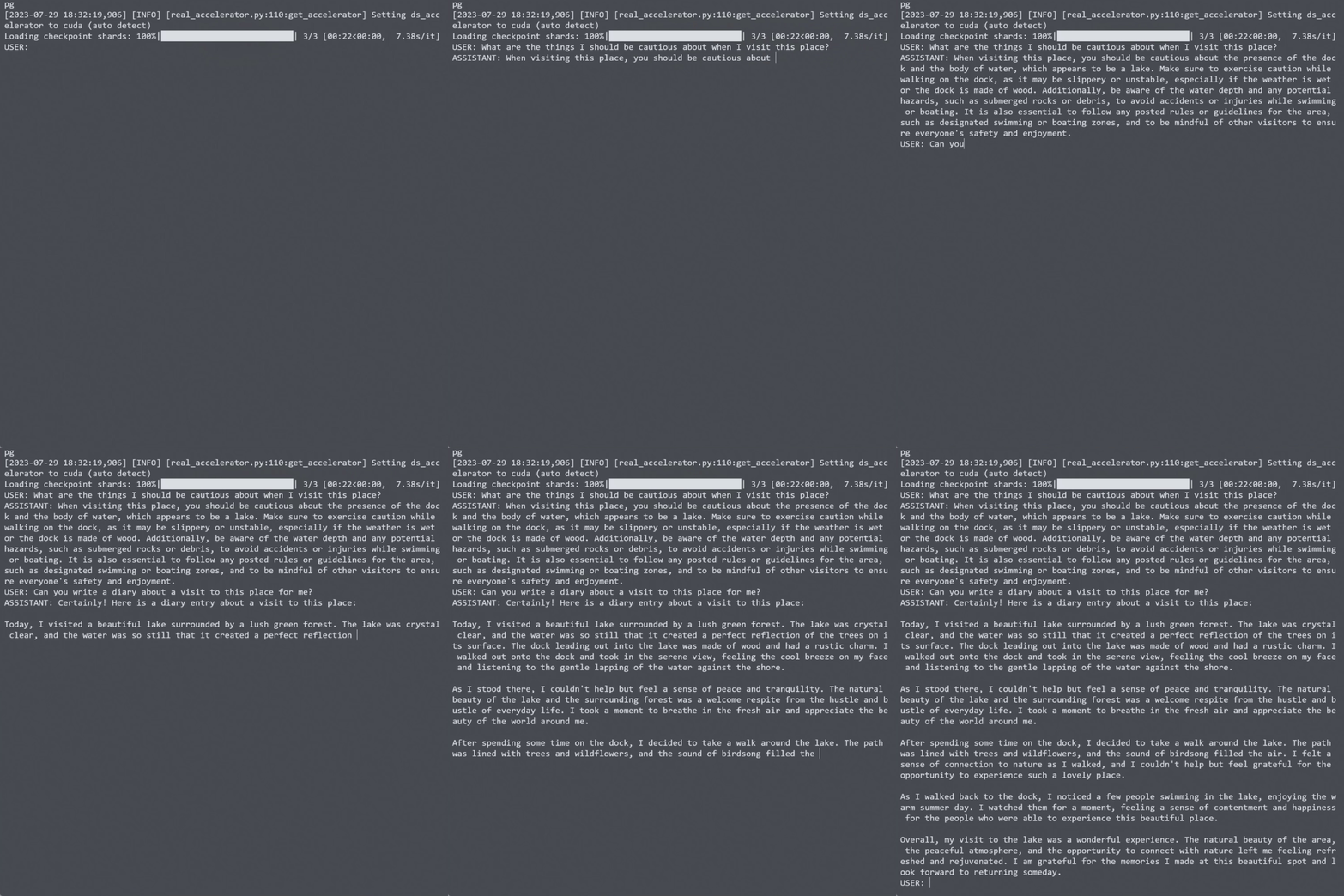
无需 Gradio 界面,即可使用 LLaVA 对图像进行对话。它还支持多 GPU、4-bit 和 8-bit 量化推理。在 4-bit 量化下,我们的 LLaVA-1.5-7B 在单 GPU 上占用不到 8GB 显存。
```Shell
python -m llava.serve.cli \
--model-path liuhaotian/llava-v1.5-7b \
--image-file "https://llava-vl.github.io/static/images/view.jpg" \
--load-4bit
```
 ## 训练
*以下是 LLaVA v1.5 的最新训练配置。对于旧版模型,请暂时参考 [此](https://github.com/haotian-liu/LLaVA/tree/v1.0.1) 版本的 README。我们稍后会在单独文档中补充。*
LLaVA 训练分为两个阶段:(1) 特征对齐阶段:使用我们取自 LAION-CC-SBU 数据集的 558K 子集,将*冻结的预训练*视觉编码器连接到*冻结的 LLM*;(2) 视觉指令微调阶段:使用 150K 条 GPT 生成的多模态指令跟随数据,再加上约 515K 条来自学术导向任务的 VQA 数据,来教会模型遵循多模态指令。
LLaVA 在 8 张 80GB 显存的 A100 GPU 上训练。若要在更少的 GPU 上训练,你可以相应减小 `per_device_train_batch_size` 并增大 `gradient_accumulation_steps`。请始终保持全局 batch size 不变:`per_device_train_batch_size` x `gradient_accumulation_steps` x `num_gpus`。
### 超参数
我们在微调时采用与 Vicuna 相似的超参数集。预训练和微调所用的超参数如下。
1. 预训练(Pretraining)
| 超参数 | 全局 Batch Size | 学习率 | Epochs | 最大长度 | Weight decay |
| --- | ---: | ---: | ---: | ---: | ---: |
| LLaVA-v1.5-13B | 256 | 1e-3 | 1 | 2048 | 0 |
2. 微调(Finetuning)
| 超参数 | 全局 Batch Size | 学习率 | Epochs | 最大长度 | Weight decay |
| --- | ---: | ---: | ---: | ---: | ---: |
| LLaVA-v1.5-13B | 128 | 2e-5 | 1 | 2048 | 0 |
### 下载 Vicuna checkpoint(自动)
我们的基础模型 Vicuna v1.5 是一个经过指令微调的聊天机器人,运行我们提供的训练脚本时会自动下载。无需额外操作。
### 预训练(特征对齐)
请从 [此处](https://huggingface.co/datasets/liuhaotian/LLaVA-Pretrain). 下载论文中使用的、带 BLIP 标注的 LAION-CC-SBU 数据集 558K 子集。
在 8x A100 (80G) 上,由于分辨率提升至 336px,LLaVA-v1.5-13B 的预训练大约需要 5.5 小时。LLaVA-v1.5-7B 大约需要 3.5 小时。
使用 DeepSpeed ZeRO-2 的训练脚本:[`pretrain.sh`](https://github.com/haotian-liu/LLaVA/blob/main/scripts/v1_5/pretrain.sh).
- `--mm_projector_type mlp2x_gelu`:两层 MLP 视觉-语言连接器。
- `--vision_tower openai/clip-vit-large-patch14-336`:CLIP ViT-L/14 336px。
## 训练
*以下是 LLaVA v1.5 的最新训练配置。对于旧版模型,请暂时参考 [此](https://github.com/haotian-liu/LLaVA/tree/v1.0.1) 版本的 README。我们稍后会在单独文档中补充。*
LLaVA 训练分为两个阶段:(1) 特征对齐阶段:使用我们取自 LAION-CC-SBU 数据集的 558K 子集,将*冻结的预训练*视觉编码器连接到*冻结的 LLM*;(2) 视觉指令微调阶段:使用 150K 条 GPT 生成的多模态指令跟随数据,再加上约 515K 条来自学术导向任务的 VQA 数据,来教会模型遵循多模态指令。
LLaVA 在 8 张 80GB 显存的 A100 GPU 上训练。若要在更少的 GPU 上训练,你可以相应减小 `per_device_train_batch_size` 并增大 `gradient_accumulation_steps`。请始终保持全局 batch size 不变:`per_device_train_batch_size` x `gradient_accumulation_steps` x `num_gpus`。
### 超参数
我们在微调时采用与 Vicuna 相似的超参数集。预训练和微调所用的超参数如下。
1. 预训练(Pretraining)
| 超参数 | 全局 Batch Size | 学习率 | Epochs | 最大长度 | Weight decay |
| --- | ---: | ---: | ---: | ---: | ---: |
| LLaVA-v1.5-13B | 256 | 1e-3 | 1 | 2048 | 0 |
2. 微调(Finetuning)
| 超参数 | 全局 Batch Size | 学习率 | Epochs | 最大长度 | Weight decay |
| --- | ---: | ---: | ---: | ---: | ---: |
| LLaVA-v1.5-13B | 128 | 2e-5 | 1 | 2048 | 0 |
### 下载 Vicuna checkpoint(自动)
我们的基础模型 Vicuna v1.5 是一个经过指令微调的聊天机器人,运行我们提供的训练脚本时会自动下载。无需额外操作。
### 预训练(特征对齐)
请从 [此处](https://huggingface.co/datasets/liuhaotian/LLaVA-Pretrain). 下载论文中使用的、带 BLIP 标注的 LAION-CC-SBU 数据集 558K 子集。
在 8x A100 (80G) 上,由于分辨率提升至 336px,LLaVA-v1.5-13B 的预训练大约需要 5.5 小时。LLaVA-v1.5-7B 大约需要 3.5 小时。
使用 DeepSpeed ZeRO-2 的训练脚本:[`pretrain.sh`](https://github.com/haotian-liu/LLaVA/blob/main/scripts/v1_5/pretrain.sh).
- `--mm_projector_type mlp2x_gelu`:两层 MLP 视觉-语言连接器。
- `--vision_tower openai/clip-vit-large-patch14-336`:CLIP ViT-L/14 336px。
在 8x V100 (32G) 上,LLaVA-7B 的预训练大约需要 20 小时
我们在 [此处](https://github.com/haotian-liu/LLaVA/blob/main/scripts/pretrain_xformers.sh). 提供使用 DeepSpeed 的训练脚本。
提示:
- 如果你使用的是不支持 FlashAttention 的 V100,可以使用 [xFormers](https://github.com/facebookresearch/xformers). 中实现的 [memory-efficient attention](https://arxiv.org/abs/2112.05682)。安装 xformers,并将上文中的 `llava/train/train_mem.py` 替换为 [llava/train/train_xformers.py](llava/train/train_xformers.py)。
### 视觉指令微调(Visual Instruction Tuning)
1. 准备数据
请下载我们指令微调数据的最终混合标注 [llava_v1_5_mix665k.json](https://huggingface.co/datasets/liuhaotian/LLaVA-Instruct-150K/blob/main/llava_v1_5_mix665k.json),,并从构成数据集中下载图像:
- COCO:[train2017](http://images.cocodataset.org/zips/train2017.zip)
- GQA:[images](https://downloads.cs.stanford.edu/nlp/data/gqa/images.zip)
- OCR-VQA:[download script](https://drive.google.com/drive/folders/1_GYPY5UkUy7HIcR0zq3ZCFgeZN7BAfm_?usp=sharing), **我们将所有文件保存为 `.jpg`**
- TextVQA:[train_val_images](https://dl.fbaipublicfiles.com/textvqa/images/train_val_images.zip)
- VisualGenome:[part1](https://cs.stanford.edu/people/rak248/VG_100K_2/images.zip), [part2](https://cs.stanford.edu/people/rak248/VG_100K_2/images2.zip)
下载完成后,在 `./playground/data` 中按以下方式组织数据,
```
├── coco
│ └── train2017
├── gqa
│ └── images
├── ocr_vqa
│ └── images
├── textvqa
│ └── train_images
└── vg
├── VG_100K
└── VG_100K_2
```
2. 开始训练!
你可以在 [Model Zoo](https://github.com/haotian-liu/LLaVA/blob/main/docs/MODEL_ZOO.md). 下载我们预训练的 projector。不建议使用旧版 projector,因为它们可能是在不同版本的代码库上训练的,且若有任何选项未开启,模型将无法按我们预期的方式运行/训练。
在 8x A100 (80G) 上,由于分辨率提升至 336px,LLaVA-v1.5-13B 的视觉指令微调大约需要 20 小时。在 8x A100 (40G) 上,LLaVA-v1.5-7B 大约需要 10 小时。
使用 DeepSpeed ZeRO-3 的训练脚本:[`finetune.sh`](https://github.com/haotian-liu/LLaVA/blob/main/scripts/v1_5/finetune.sh).
如果你的 GPU 显存不足:
- 使用 LoRA:[`finetune_lora.sh`](https://github.com/haotian-liu/LLaVA/blob/main/scripts/v1_5/finetune_lora.sh). 我们可以在 8-A100-40G/8-A6000 上完成 13B 训练,在 8-RTX3090 上完成 7B 训练。请确保 `per_device_train_batch_size*gradient_accumulation_steps` 与提供的脚本一致,以获得最佳可复现性。
- 将 `zero3.json` 替换为 `zero3_offload.json`,它会将部分参数卸载到 CPU RAM。这会降低训练速度。
如果你有兴趣将 LLaVA 模型微调到你自己的任务/数据上,请查看 [`Finetune_Custom_Data.md`](https://github.com/haotian-liu/LLaVA/blob/main/docs/Finetune_Custom_Data.md)。
新增选项说明:
- `--mm_projector_type mlp2x_gelu`:双层 MLP 视觉-语言连接器。
- `--vision_tower openai/clip-vit-large-patch14-336`:CLIP ViT-L/14 336px。
- `--image_aspect_ratio pad`:将非正方形图像填充为正方形,而非裁剪;可略微减少幻觉(hallucination)。
- `--group_by_modality_length True`:仅当你的指令微调(instruction tuning)数据集同时包含纯语言(如 ShareGPT)和多模态(如 LLaVA-Instruct)数据时使用。它使训练采样器在训练期间每次仅采样单一模态(图像或语言),我们观察到这可将训练速度提升约 25%,且不影响最终效果。
## 评估
在 LLaVA-1.5 中,我们在涵盖 12 个基准的多样化集合上评估模型。为保证可复现性,我们使用贪婪解码(greedy decoding)评估模型。我们不使用束搜索(beam search)进行评估,以使推理过程与实时输出的聊天演示保持一致。
详见 [Evaluation.md](https://github.com/haotian-liu/LLaVA/blob/main/docs/Evaluation.md).
### GPT 辅助评估
我们提供了用于多模态建模的 GPT 辅助评估流程,以便全面理解视觉-语言模型的能力。更多细节请参阅我们的论文。
1. 生成 LLaVA 回复
```Shell
python model_vqa.py \
--model-path ./checkpoints/LLaVA-13B-v0 \
--question-file \
playground/data/coco2014_val_qa_eval/qa90_questions.jsonl \
--image-folder \
/path/to/coco2014_val \
--answers-file \
/path/to/answer-file-our.jsonl
```
2. 评估生成的回复。在我们的案例中,[`answer-file-ref.jsonl`](./playground/data/coco2014_val_qa_eval/qa90_gpt4_answer.jsonl) 是由纯文本 GPT-4(0314)在提供上下文 captions/boxes 的情况下生成的回复。
```Shell
OPENAI_API_KEY="sk-***********************************" python llava/eval/eval_gpt_review_visual.py \
--question playground/data/coco2014_val_qa_eval/qa90_questions.jsonl \
--context llava/eval/table/caps_boxes_coco2014_val_80.jsonl \
--answer-list \
/path/to/answer-file-ref.jsonl \
/path/to/answer-file-our.jsonl \
--rule llava/eval/table/rule.json \
--output /path/to/review.json
```
3. 汇总评估结果
```Shell
python summarize_gpt_review.py
```
## 引用
若您觉得 LLaVA 对您的研究和应用有所帮助,请使用以下 BibTeX 引用:
```bibtex
@misc{liu2024llavanext,
title={LLaVA-NeXT: Improved reasoning, OCR, and world knowledge},
url={https://llava-vl.github.io/blog/2024-01-30-llava-next/},
author={Liu, Haotian and Li, Chunyuan and Li, Yuheng and Li, Bo and Zhang, Yuanhan and Shen, Sheng and Lee, Yong Jae},
month={January},
year={2024}
}
@misc{liu2023improvedllava,
title={Improved Baselines with Visual Instruction Tuning},
author={Liu, Haotian and Li, Chunyuan and Li, Yuheng and Lee, Yong Jae},
publisher={arXiv:2310.03744},
year={2023},
}
@misc{liu2023llava,
title={Visual Instruction Tuning},
author={Liu, Haotian and Li, Chunyuan and Wu, Qingyang and Lee, Yong Jae},
publisher={NeurIPS},
year={2023},
}
```
## 致谢
- [Vicuna](https://github.com/lm-sys/FastChat): 我们基于此构建的代码库,以及具备出色语言能力的基础模型 Vicuna-13B!
## 相关项目
- [Instruction Tuning with GPT-4](https://github.com/Instruction-Tuning-with-GPT-4/GPT-4-LLM)
- [LLaVA-Med: Training a Large Language-and-Vision Assistant for Biomedicine in One Day](https://github.com/microsoft/LLaVA-Med)
- [Otter: In-Context Multi-Modal Instruction Tuning](https://github.com/Luodian/Otter)
如需未来项目灵感,请查看:
- [SEEM: Segment Everything Everywhere All at Once](https://github.com/UX-Decoder/Segment-Everything-Everywhere-All-At-Once)
- [Grounded-Segment-Anything](https://github.com/IDEA-Research/Grounded-Segment-Anything) 通过结合 [Grounding DINO](https://github.com/IDEA-Research/GroundingDINO) 与 [Segment-Anything](https://github.com/facebookresearch/segment-anything). 来检测、分割并生成任意内容