> [!NOTE]
> 本文档由 WeHub 基于上游 README 翻译整理,属于社区翻译,非官方中文文档。
> [English](./README.en.md) · [原始项目](https://github.com/gopasspw/gopass) · [上游 README](https://github.com/gopasspw/gopass/blob/HEAD/README.md)
> 原作者、版权与许可证归属以原始项目及本仓库 LICENSE 文件为准。

# 概述
[](https://securityscorecards.dev/viewer/?uri=github.com/gopasspw/gopass)
[](https://github.com/gopasspw/gopass/actions/workflows/build.yml?query=branch%3Amaster)
[](https://goreportcard.com/report/github.com/gopasspw/gopass)
[](https://repology.org/project/gopass-gopasspw/versions)
[](https://github.com/gopasspw/gopass/blob/master/LICENSE)
[](https://github.com/gopasspw/gopass/releases)
[](https://join.slack.com/t/gopassworkspace/shared_invite/zt-17jl74b5x-U1OUW4ts4AQ7eAf2V4QaaQ)
> 面向团队的、稍胜一筹的标准 UNIX 密码管理器。
轻松管理你的凭据。适用于全球分布式团队、多台设备,或在完全离线的气隙(air-gapped)机器上。
- **随处可用** - 在 Linux、MacOS、*BSD 或 Windows 上提供一致的用户体验
- **为团队而生** - 基于我们在分布式开发团队中的实践经验构建
- **完全自主** - 无需网络连接,除非你主动需要
# 工作原理?
Gopass 是 pass(标准 UNIX 密码管理器)的直接替代品(drop-in replacement)。
默认情况下,你的凭据使用 GPG 加密并通过 git 进行版本管理。这可以轻松自定义。
也提供其他加密后端(例如 age)和存储后端(例如 fossil)。
主要界面是命令行,因此非常适合 CLI 爱好者、CI/CD 系统,
或任何你能接入它的场景。Gopass 也可与浏览器集成,这样你基本可以
避免使用命令行——如果你愿意的话。
# 安装
## 运行 `gopass` 的必要前提条件
`gopass` 可在无任何依赖的情况下运行,但大多数用户会配合 `gpg` 和 `git` 使用。
使用 `gopass edit` 需要外部编辑器。
## 通过包管理器安装
### [Homebrew](https://brew.sh) (Linux/MacOS)
[](https://github.com/Homebrew/homebrew-core/blob/master/Formula/gopass.rb)
```shell
brew install gopass
```
### [MacPorts](https://www.macports.org) (macOS)
[](https://ports.macports.org/port/gopass/)
```shell
sudo port install gopass
```
### Debian(Ubuntu、Debian、Raspbian 等)
**警告**:请勿从官方软件源安装 `gopass` 软件包。那是与我们毫无关系的完全不同的项目。
```shell
curl https://packages.gopass.pw/repos/gopass/gopass-archive-keyring.gpg | sudo tee /usr/share/keyrings/gopass-archive-keyring.gpg >/dev/null
cat << EOF | sudo tee /etc/apt/sources.list.d/gopass.sources
Types: deb
URIs: https://packages.gopass.pw/repos/gopass
Suites: stable
Architectures: all amd64 arm64 armhf
Components: main
Signed-By: /usr/share/keyrings/gopass-archive-keyring.gpg
EOF
sudo apt update
sudo apt install gopass gopass-archive-keyring
```
### Fedora / RedHat / CentOS
[](https://packages.fedoraproject.org/pkgs/gopass/gopass/)
```shell
dnf install gopass
```
注意:你可能需要先运行 `dnf copr enable daftaupe/gopass`。
### Arch Linux
[](https://archlinux.org/packages/extra/x86_64/gopass/)
```shell
pacman -S gopass
```
### Windows
[](https://github.com/ScoopInstaller/Main/blob/master/bucket/gopass.json)
```shell
# WinGet
winget install Git.Git
winget install GnuPG.Gpg4win
winget install gopass.gopass
# Chocolatey
choco install gpg4win
choco install gopass
# Alternatively
scoop install gopass
```
### FreeBSD / OpenBSD
```shell
cd /usr/ports/security/gopass
make install
```
### Alpine Linux
```shell
apk add gopass
```
## 其他安装方式
请参阅 [docs/setup.md](https://github.com/gopasspw/gopass/blob/master/docs/setup.md) 了解其他选项。
### 从源码安装
```shell
go install github.com/gopasspw/gopass@latest
```
注意:`latest` 不是稳定版本。我们建议仅使用已发布的版本。
### 手动下载
下载[最新版本](https://github.com/gopasspw/gopass/releases/latest),并将二进制文件添加到你的 PATH。
# 快速入门指南
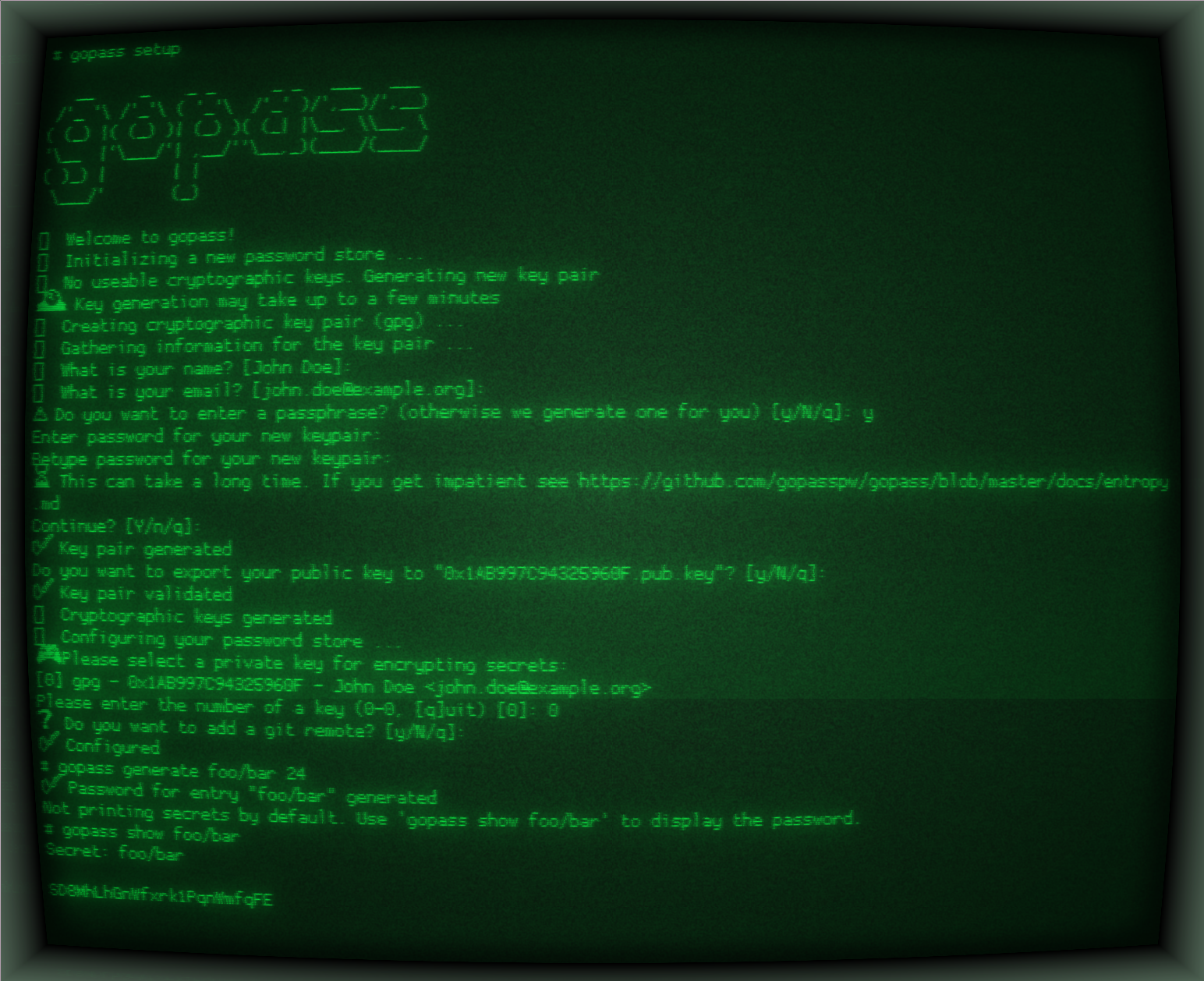
初始化新的 `gopass` 配置:
```shell
gopass setup
__ _ _ _ _ _ ___ ___
/'_ '\ /'_'\ ( '_'\ /'_' )/',__)/',__)
( (_) |( (_) )| (_) )( (_| |\__, \\__, \
'\__ |'\___/'| ,__/''\__,_)(____/(____/
( )_) | | |
\___/' (_)
🌟 Welcome to gopass!
🌟 Initializing a new password store ...
🌟 Configuring your password store ...
🎮 Please select a private key for encrypting secrets:
[0] gpg - 0xFEEDBEEF - John Doe
Please enter the number of a key (0-12, [q]uit) (q to abort) [0]: 0
❓ Do you want to add a git remote? [y/N/q]: y
Configuring the git remote ...
Please enter the git remote for your shared store []: git@gitlab.example.org:john/passwords.git
✅ Configured
```
默认情况下,`gopass setup` 将使用 `gpg` 加密和 `git` 存储。这会在 `$HOME/.local/share/gopass/stores/root` 中创建新的密码库,并在 `$HOME/.config/gopass/config` 中创建配置,使用 `gpg` 加密和 `git` 进行版本化存储。用户可通过例如 `--crypto=age` 覆盖这些设置,改用 `age` 加密,或使用 `--storage=fs` 选择不使用版本化存储。
可使用例如 `gopass clone git@gitlab.example.org:john/passwords.git` 克隆现有存储库。
创建新密钥:
```shell
gopass create
```
列出所有现有密钥:
```shell
gopass ls
```
将现有密码复制到剪贴板:
```shell
gopass show -c foo
```
删除现有密钥:
```shell
gopass rm foo
```
其他示例:
```shell
# Command structure
gopass [] [options] [args]
# Shortcut for gopass show []
gopass []
# Enter the gopass REPL
gopass
# Find all entries matching the search string
gopass find github
# List your store
gopass ls
# List all mounts
gopass mounts
# List all recipients
gopass recipients
# Sync with all remotes
gopass sync
# Setup a new store
gopass setup
```
## 截图
## 支持
请在 [Slack](https://join.slack.com/t/gopassworkspace/shared_invite/zt-17jl74b5x-U1OUW4ts4AQ7eAf2V4QaaQ). 上提问。
## 贡献
我们欢迎任何贡献。请参阅 [CONTRIBUTING.md](https://github.com/gopasspw/gopass/blob/master/CONTRIBUTING.md) 了解更多信息。
## 致谢与许可证
gopass 根据 MIT 许可证条款授权。完整文本见 [`LICENSE`](https://github.com/gopasspw/gopass/blob/master/LICENSE).
请参阅我们的[贡献者](https://github.com/gopasspw/gopass/graphs/contributors) 页面,查看完整的贡献者列表。